Best Calendar Generator 2027 – Vecspine: Sell Etsy Templates Fast
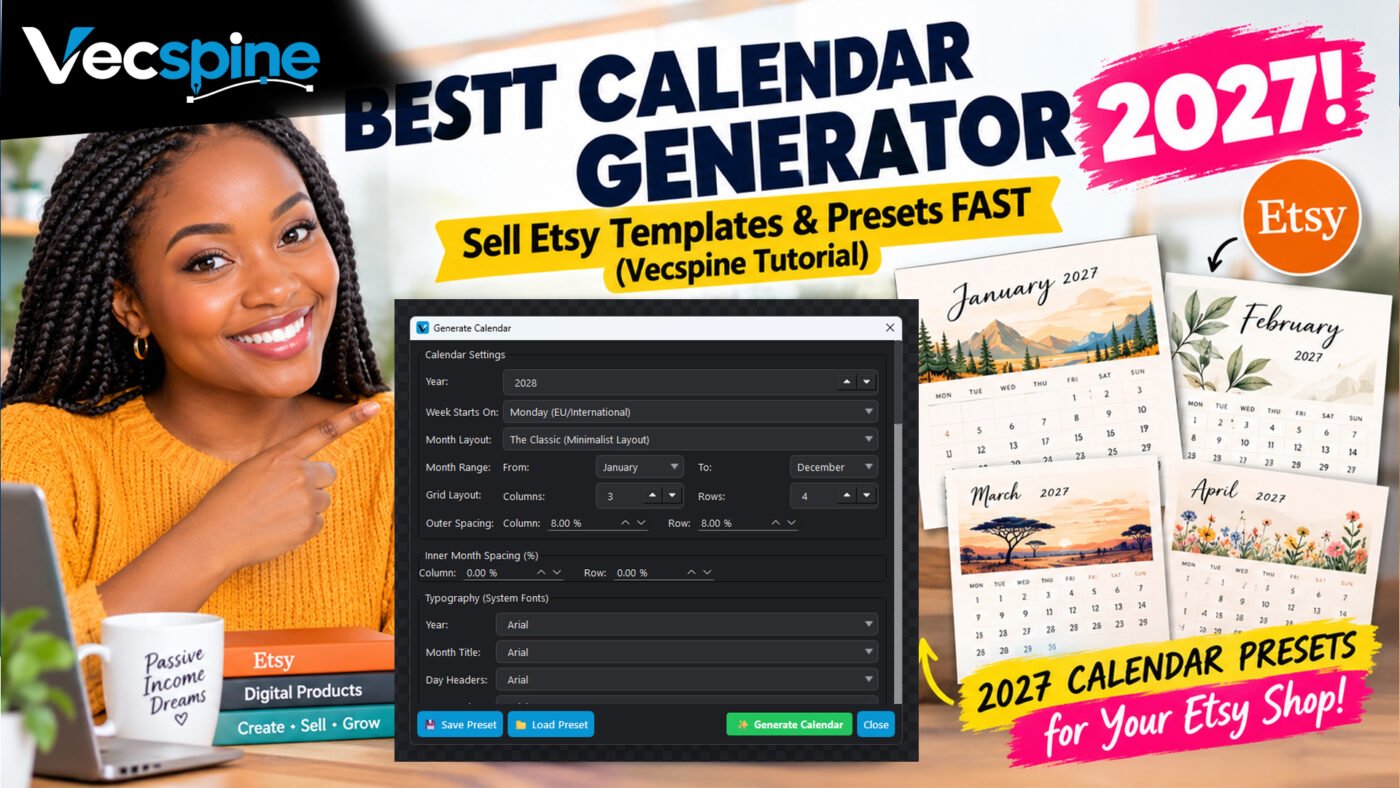
Best Calendar Generator - Vecspine

Why the Best Calendar Generator – Vecspine is Changing How I Design for Etsy
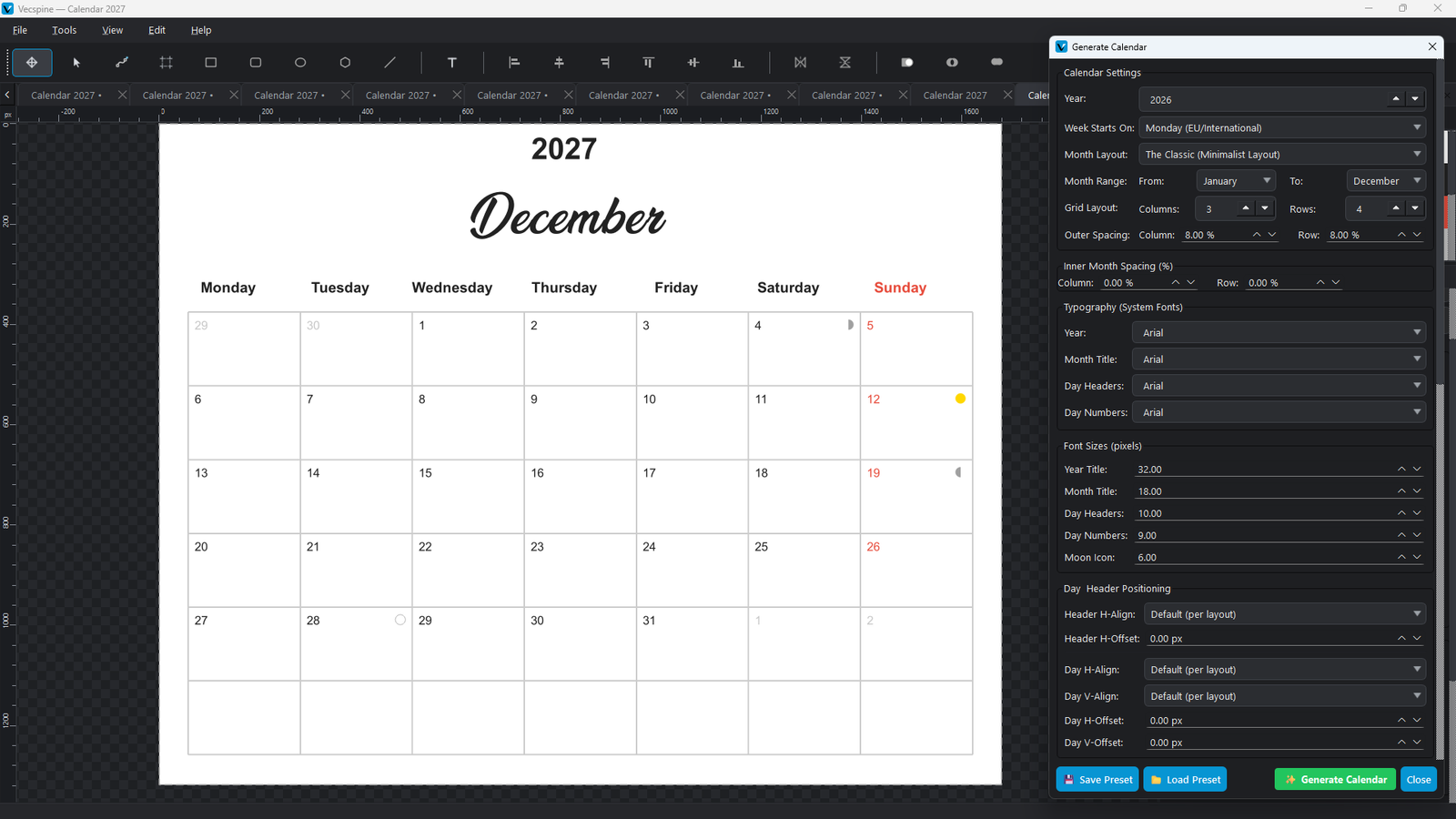
If you have ever tried to build a custom calendar from scratch in a standard design tool, you know the exact kind of headache I am talking about. You spend three hours drawing perfect little boxes, aligning the days of the week, and making sure the margins are exactly right. Then, your client asks if you can change the font size for the day numbers. Suddenly, your entire grid is ruined, and you are back to square one.

I used to dread calendar projects. I would rely on clunky, web-based tools that only exported low-resolution PNGs, or I would buy rigid templates that were impossible to tweak. But recently, my entire workflow shifted. I found a tool that actually understands what vector designers and print-on-demand sellers need. If you are looking for the Best Calendar Generator – Vecspine is the answer to your design prayers.
Best Calendar Generator - Vecspine
In this article, I am going to share my personal experience with this software. I will show you exactly how it saves me hours of repetitive work, how the unique preset system works, and why the vector output makes a massive difference for physical printing. By the end of this read, you will know exactly how to streamline your calendar creation process from a three-hour chore into a ten-minute breeze.

Why Most Calendar Tools Fall Short (And How Vecspine Fixes It)

Let’s be honest about the state of calendar design tools right now. Most of the free options online are built for casual users who just want to print a single month for their fridge. They give you a flat image. If you try to scale that image up to print a large 18×24 inch wall calendar, the text gets blurry and the lines look jagged.
On the other end of the spectrum, you have professional vector software like Illustrator or Affinity Designer. They are incredibly powerful, but they don’t have a dedicated “calendar” button. You have to build the math and the grids yourself.

This is where the Best Calendar Generator – Vecspine completely changes the game. It bridges the gap between automated convenience and professional vector output. When I first opened the calendar dialog in Vecspine, I expected a basic grid tool. Instead, I found a deeply customizable engine that outputs pure SVG (Scalable Vector Graphics).

This means every single line, number, and letter is a crisp, mathematical path. When I send these files to my print-on-demand partner, the text is razor-sharp, even on massive prints. It completely eliminates the “blurry text” complaints I used to get from my customers.

The Magic of Presets: Design Once, Generate All Year
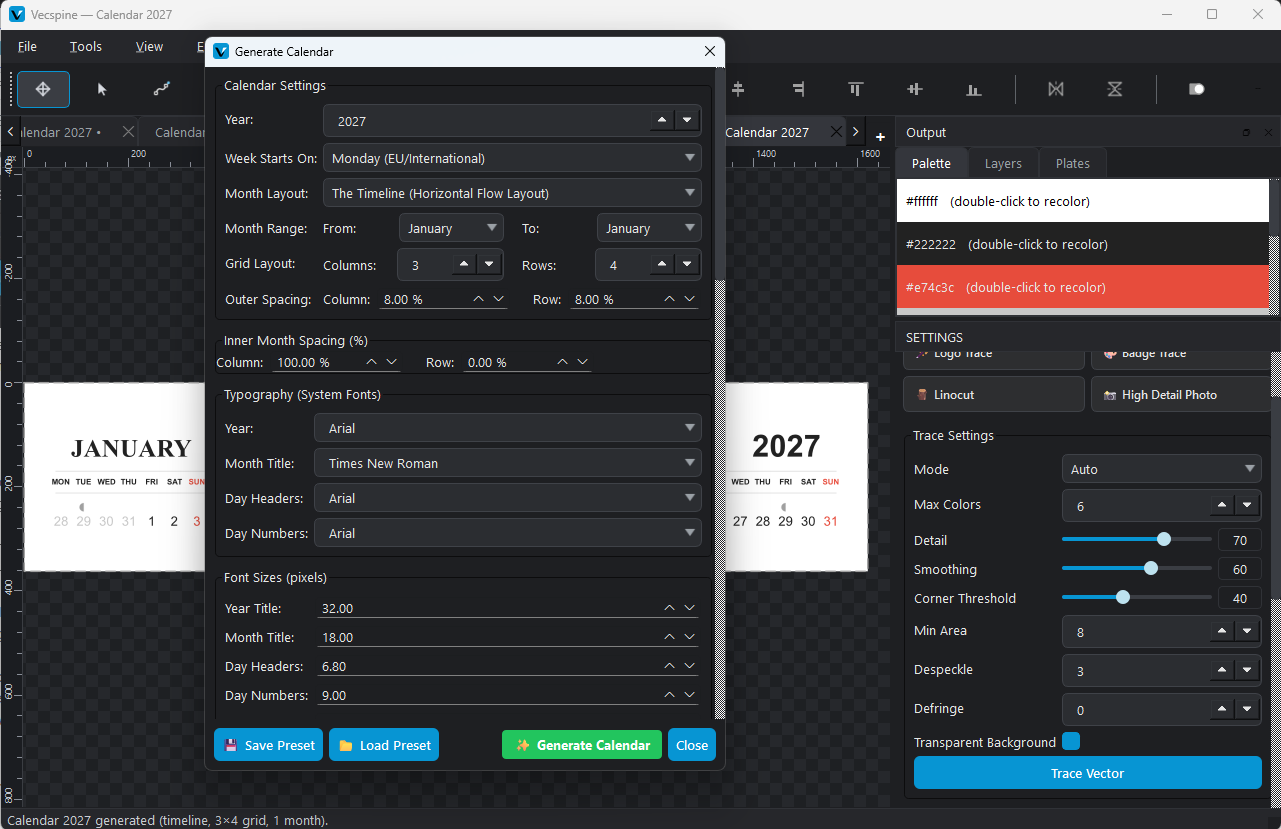
Here is my biggest gripe with traditional workflows: repetition. If I design a beautiful, minimalist 2027 calendar with a specific navy blue grid, a custom serif font for the month names, and a 5% inner cell spacing, I have to manually recreate all those settings when I want to make the 2028 version.
Best Calendar Generator - Vecspine
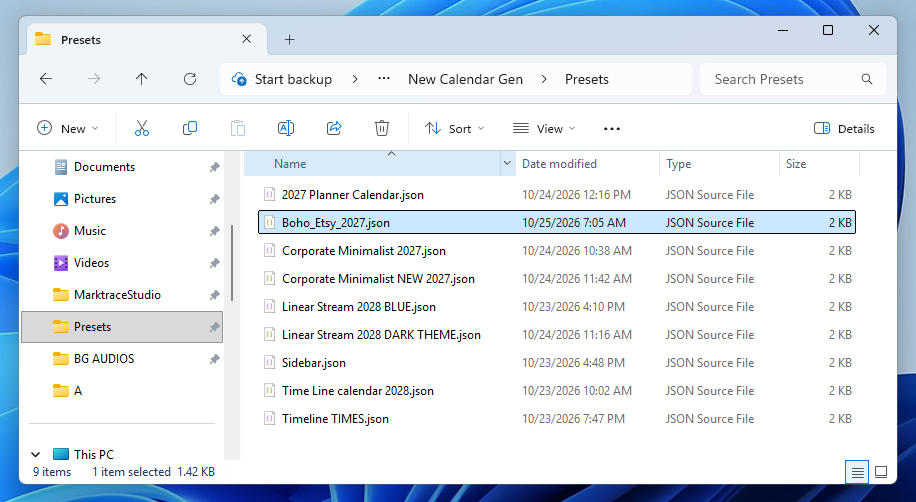
Vecspine solves this with its Save and Load Preset feature, and it is honestly a game-changer for anyone selling digital products. You can configure every single detail of your calendar—fonts, colors, spacing, alignments, and even moon phases—and save it as a JSON file.
Best Calendar Generator

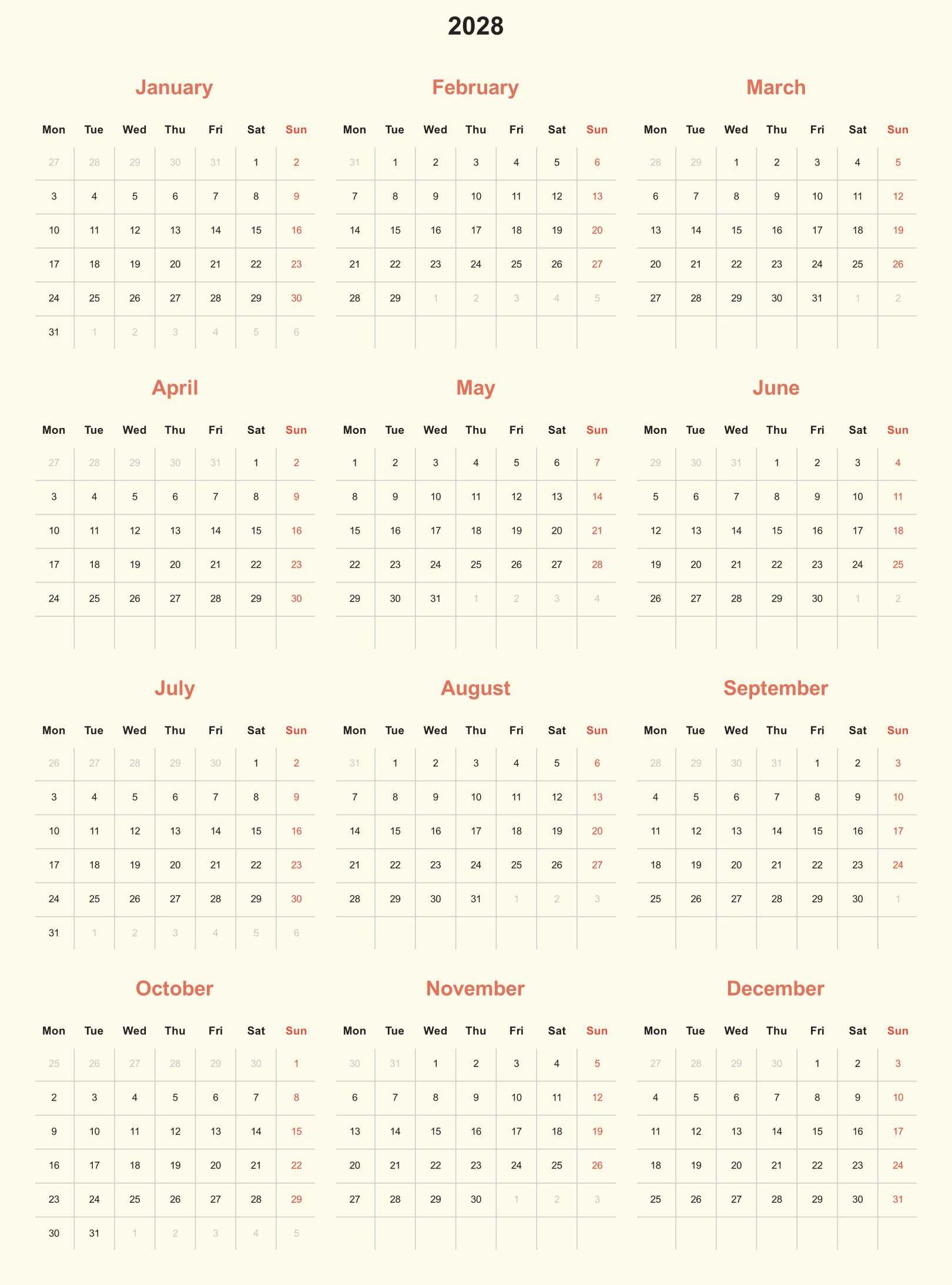
Let me give you a real-world example. I created a preset called “Boho_Etsy_2027.json”. In this preset, I set the background to a warm cream color, the month titles to a terracotta orange, and the day headers to a dark charcoal. I also set the inner spacing to 8% to give the days a nice, airy feel.
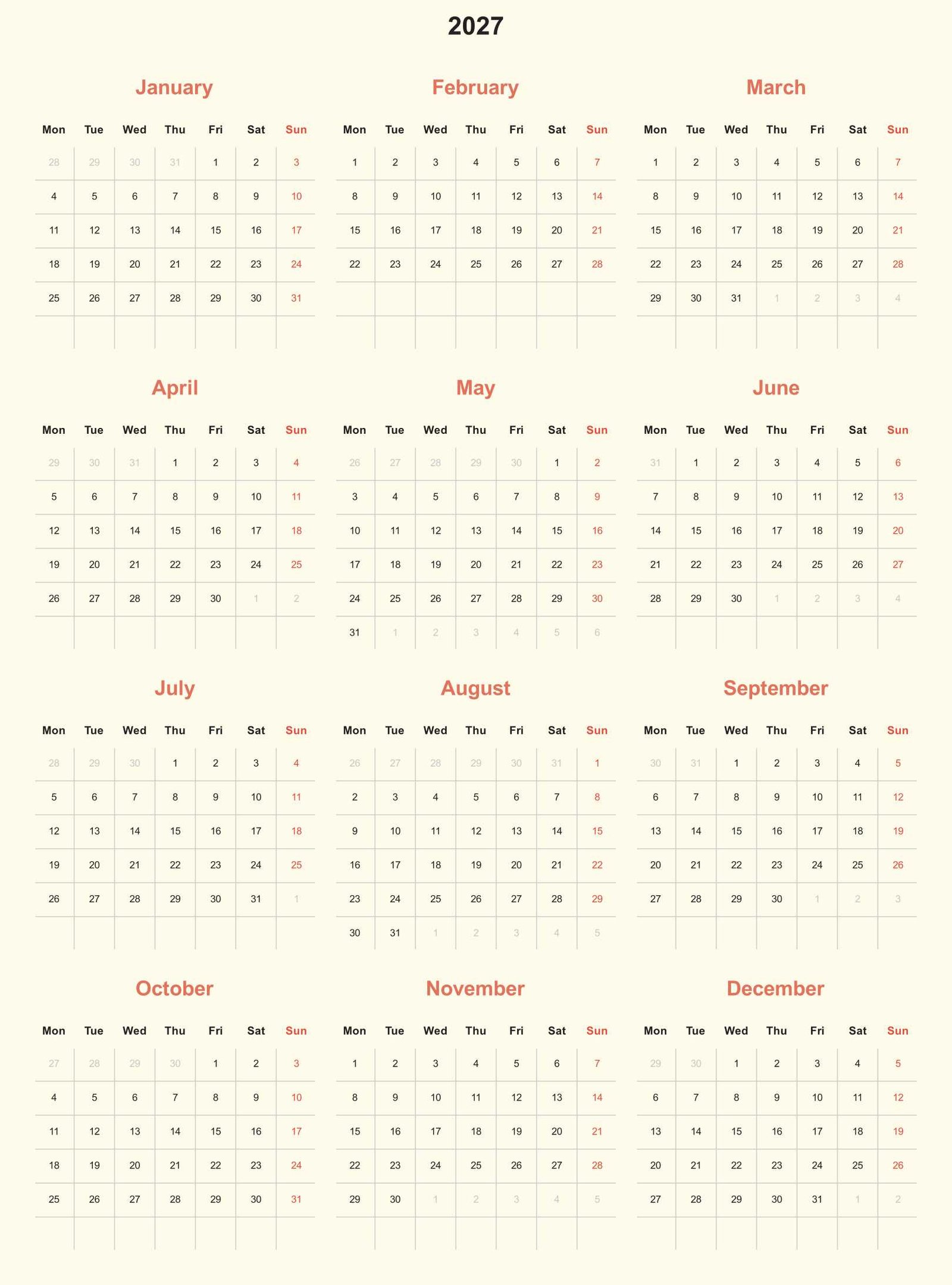
 

Best Calendar Generator 2027
The next time I open the tool, I just click “Load Preset,” select my Boho file, and boom—every single setting is instantly populated. I don’t have to remember what hex code I used for the terracotta or what font size I picked for the headers. I just change the year from 2027 to 2028, hit generate, and I have a brand new product ready for my shop. If you are making calendars for multiple years or creating different color variations for the same design, this feature alone will save you dozens of hours.
Best Calendar Generator 2028

Customization That Actually Makes Sense
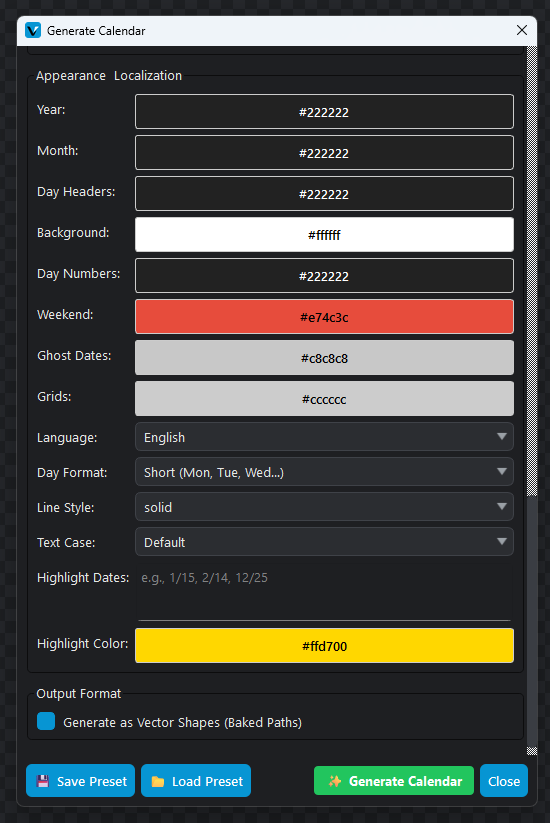
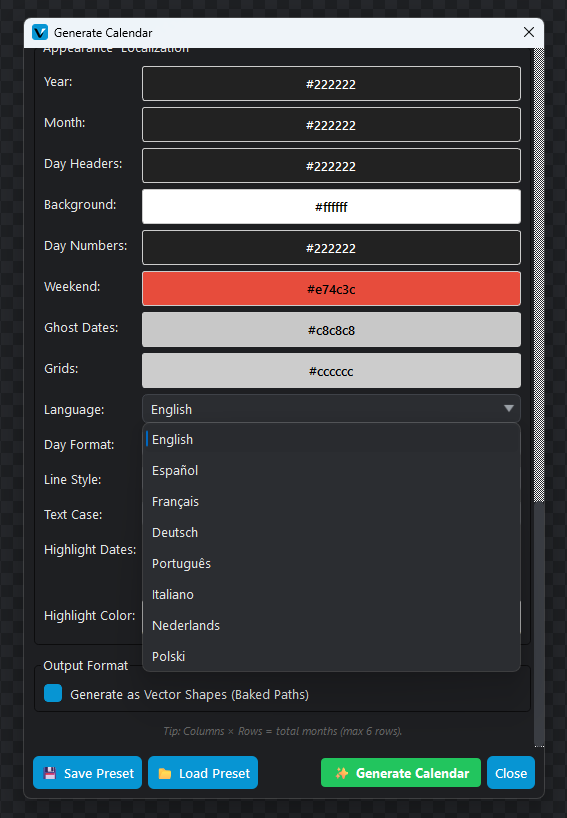
A lot of automated tools lock you into their design choices. Vecspine, however, gives you granular control without overwhelming you. The interface is broken down into logical sections, and my favorite part is the Appearance and Localization group. You can control the exact color of the Year title, the Month title, the Day Headers, the Day Numbers, the Weekends, the Ghost Dates, and the Grid lines. 
Best Calendar Generator

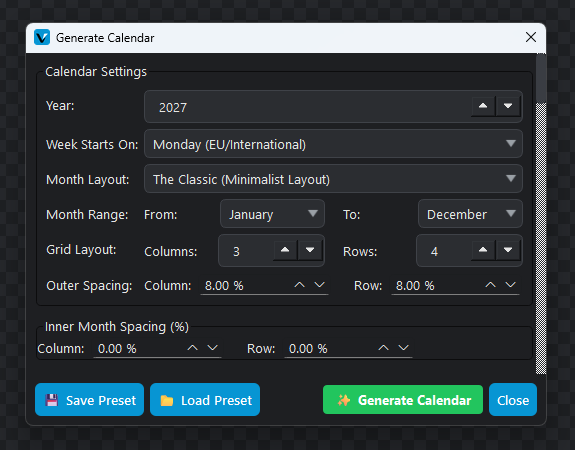
You can also tweak the outer and inner spacing using percentages. If you want a tight, compact calendar that fits a lot of information, you drop the inner spacing to 0%. If you want a spacious, modern look, you bump it up to 10% or 15%. Having this level of control means you aren’t just making “a calendar”; you are making a calendar that perfectly fits your specific brand aesthetic.
Best Calendar Generator

Niche Features: Moon Phases, Ghost Dates, and Localization

What really sets the Best Calendar Generator – Vecspine apart from basic templates are the niche features that cater to specific markets. If you are selling on Etsy, you know that niches are where the money is.

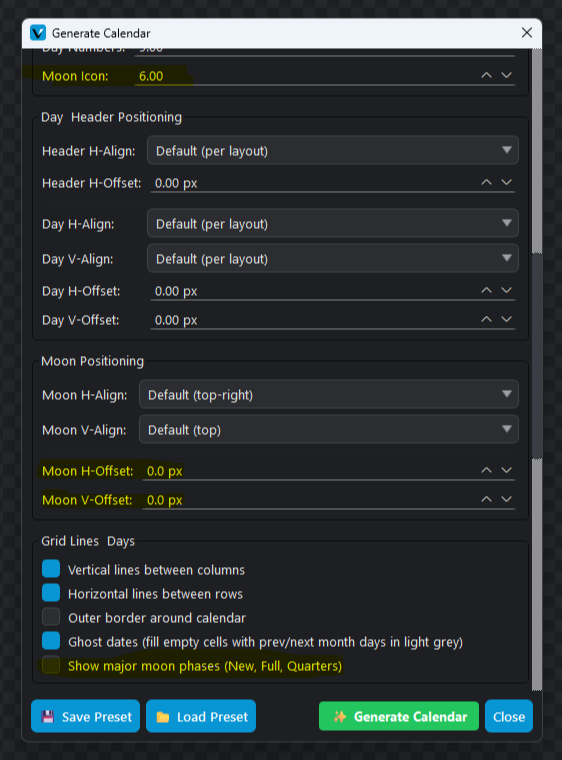
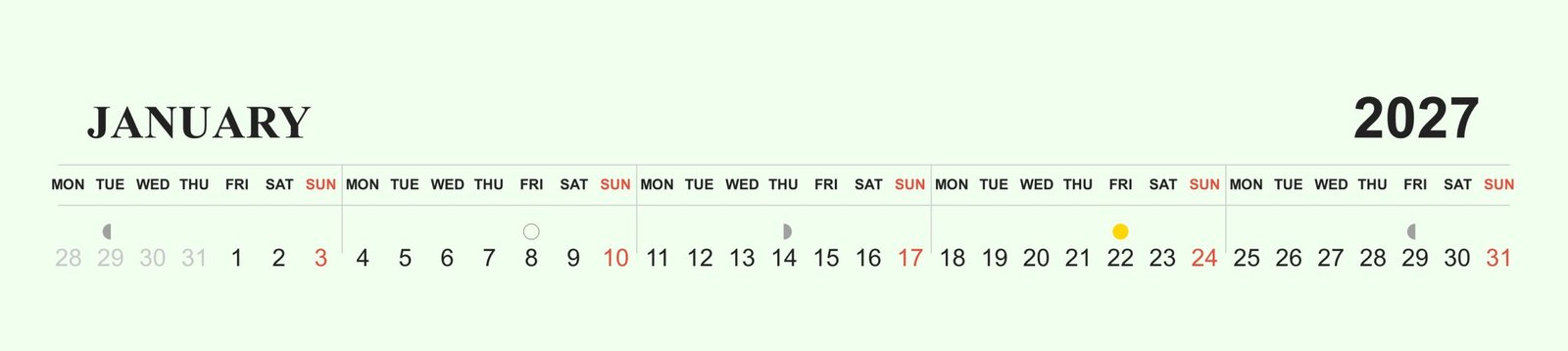
First, there is the Moon Phase feature. I have a friend who sells lunar planting calendars to gardeners. She used to have to manually look up the exact dates of the new and full moons and draw little circles on her designs. With Vecspine, you just check a box that says “Show major moon phases,” and the software automatically calculates and places the New, Full, and Quarter moons in the correct day cells.
Best Calendar Generator

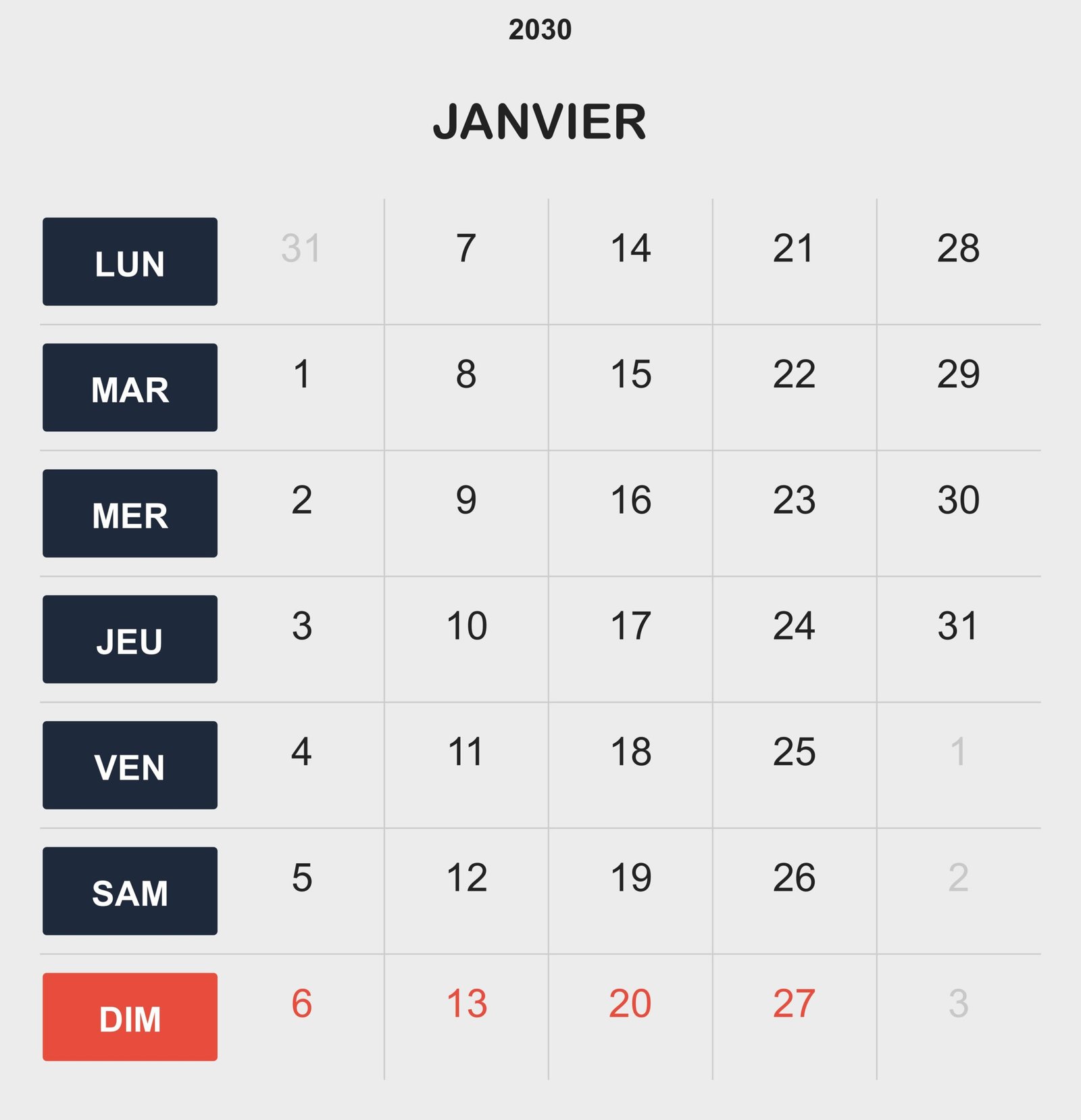
Then there are “Ghost Dates.” These are the faded numbers from the previous or next month that appear in the empty cells at the start and end of a month. It’s a tiny detail, but it makes a calendar look highly professional and helps with weekly planning. You can toggle this on and even change the ghost date color to a subtle gray so it doesn’t distract from the current month’s days.
Best Calendar Generator
Finally, the localization options are fantastic. If you want to sell your calendars in Europe or Latin America, you can instantly switch the language to Spanish, French, German, Portuguese, Italian, Dutch, or Polish. It automatically adjusts the month names and the day headers. I used to have to manually translate and re-type all the days when making a Spanish version of my planner. Now, I just change a dropdown menu.
Best Calendar Generator

A Real-World Workflow: From Blank Screen to Etsy Listing

To show you how fast this actually is, let’s walk through my exact workflow for creating a new quarterly calendar listing.
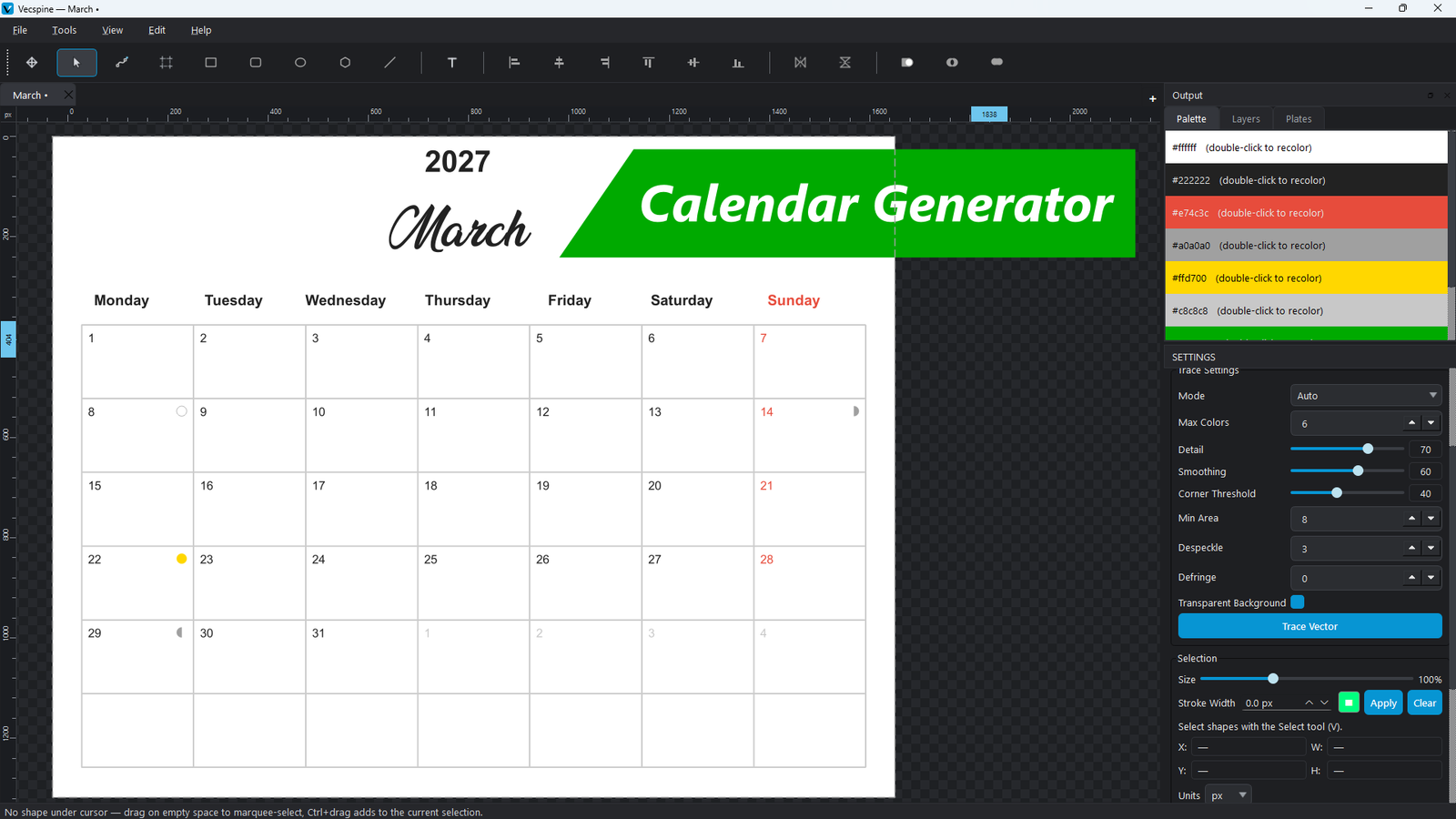
 

What used to take me an entire afternoon now takes about fifteen minutes. The ability to keep the dialog open and just tweak the months without reloading the preset is a massive quality-of-life improvement that I didn’t know I needed until I had it.

Who Should Use Vecspine for Calendar Design?

You might be wondering if this tool is right for your specific needs. Based on my experience, it is perfect for a few specific groups of people.
First, Etsy and Digital Product Sellers. If you sell printable planners, wall calendars, or desk pads, this tool will drastically increase your profit margins by cutting down your production time. You can easily create 50 different color variations of the same calendar layout in an hour.
Second, Print-on-Demand Creators. Because the output is pure vector SVG, it scales infinitely. Whether you are printing a tiny pocket calendar or a massive wall poster, the lines and text will remain perfectly crisp.
Third, Teachers and Administrators. If you need to create custom academic calendars, lesson planners, or duty rosters, the ability to highlight specific dates, change weekend colors, and adjust the layout to fit your exact needs is incredibly useful.
If you are just looking to print a single, simple monthly calendar for your kitchen fridge, this tool might be overkill. But if you are creating calendars for others, or if you care deeply about print quality and design consistency, it is an absolute must-have.

Frequently Asked Questions

1. Can I sell the calendars I create with Vecspine? Yes, absolutely. The calendars you generate are your own original designs. Because you are controlling the layout, colors, fonts, and styling, you own the final output. Many sellers use tools like this to create commercial products for Etsy, Amazon KDP, and their own websites. Just make sure you have the commercial license for any specific system fonts you choose to use in your design.
2. What is the difference between “Text” and “Baked Paths” in the output format? When you generate a calendar, you can choose to output it as standard text or as “Baked Paths” (Vector Shapes). Standard text means the numbers and letters remain editable text objects in your vector software. “Baked Paths” converts every single letter and number into a drawn shape. Baked paths are highly recommended if you are sending the file to a professional print shop, as it guarantees the text will look exactly the same even if the printer doesn’t have your specific font installed.
3. Does the tool automatically calculate leap years and correct day alignments? Yes. The underlying engine handles all the complex calendar math for you. You just select the year, and it automatically knows if it is a leap year, which day of the week the 1st of the month falls on, and how many days are in each specific month. You never have to worry about accidentally putting February 30th on your design.
4. Can I share my custom presets with my team or friends? Yes! Because presets are saved as simple, lightweight JSON files, they are incredibly easy to share. You can email them, put them in a shared cloud folder, or even sell them as a digital product. If you have a specific brand style guide, you can create a preset and send it to your virtual assistant so they can generate calendars that perfectly match your brand without having to guess your color codes.

Final Thoughts

Finding the right tools can make or break your design business. For a long time, I thought I just had to accept the tedious, repetitive nature of calendar design. But discovering the Best Calendar Generator – Vecspine completely changed my perspective. It takes the heavy lifting out of the math and the alignment, leaving you free to focus on the actual design and the business side of things.
If you are ready to stop fighting with rigid templates and start creating beautiful, scalable, print-ready calendars in a fraction of the time, I highly recommend giving it a try. Your future self—and your print-on-demand customers—will thank you.
calendar generator